Personalization can turn a generic SMS campaign into a relevant customer interaction. However, it can also create discomfort when a message reveals too much information, assumes too much, or sounds like a machine inserted someone’s name into a template.
Effective SMS personalization should feel helpful rather than invasive. It should use customer information to improve timing, relevance, and convenience without reminding recipients how much data a business holds about them.
Therefore, successful personalization depends on restraint. Businesses should use the right information, explain why the message matters, and write in a natural voice. When those elements work together, personalized texts can strengthen relationships instead of damaging trust.
Understand What Good Personalization Means
Many marketers treat personalization as adding a first name to a message. While a name can create familiarity, it does not automatically make the content relevant.
Consider these two messages:
- “Hi Sarah, shop our sale today and save 15%.”
- “Your usual skincare essentials are 15% off today. Shop the sale: [link]”
The first message uses personal data, but the offer remains broad. In contrast, the second message connects the promotion to a known interest. Therefore, it delivers more value without exposing unnecessary details.
Good personalization usually answers at least one of these questions:
- Is this message relevant to the recipient?
- Is it arriving at a useful moment?
- Does it reflect a stated preference or recent action?
- Does it make the next step easier?
If personalization does not improve the customer’s experience, it may not belong in the message.
Use First Names Carefully
First-name personalization can make a welcome message, appointment reminder, or service update feel warmer. However, using a name in every text can quickly sound artificial.
For example, people rarely repeat each other’s names in every sentence during a natural conversation. Therefore, brands should not force names into every promotional message.
A name works best when it supports the context:
“Hi Daniel, your appointment is tomorrow at 2:30 p.m. Reply C to confirm or R to reschedule.”
On the other hand, a message such as “Daniel, your exclusive Daniel offer is waiting” sounds automated and awkward.
Additionally, businesses should verify the quality of their customer data. A text addressed to “Test,” “Unknown,” or an incorrectly capitalized name feels less personal than a message without a name.
Personalize Around Actions, Not Private Details
Behavioral information often creates better personalization than demographic information. A recent purchase, abandoned cart, booking, or support request provides a clear reason for communication.
For instance, a retailer could send:
“Still considering the leather watch strap? It is available again in your selected size: [link]”
This message feels relevant because it connects to a recent customer action. However, the business should avoid language that sounds like surveillance:
“We noticed you viewed the same leather strap four times last night.”
Both messages use browsing data, but only the first one focuses on customer value. Therefore, marketers should personalize around the opportunity rather than describing how closely they tracked the customer.
Explain Why the Message Is Relevant
Customers should quickly understand why they received a text. Without context, even accurate personalization can feel unexpected.
Instead of writing, “Time to order again,” clarify the connection:
“It may be time to replace the water filter you purchased in April. View compatible replacements: [link]”
Similarly, a service business might write:
“Your annual boiler service is due next month. Choose an available appointment here: [link]”
These messages make the reason for contact clear. Consequently, the personalization feels like a useful reminder rather than an unexplained prediction.
However, businesses should avoid pretending to know more than they do. If a replenishment date represents an estimate, use phrases such as “You may be running low” instead of “You need more now.”
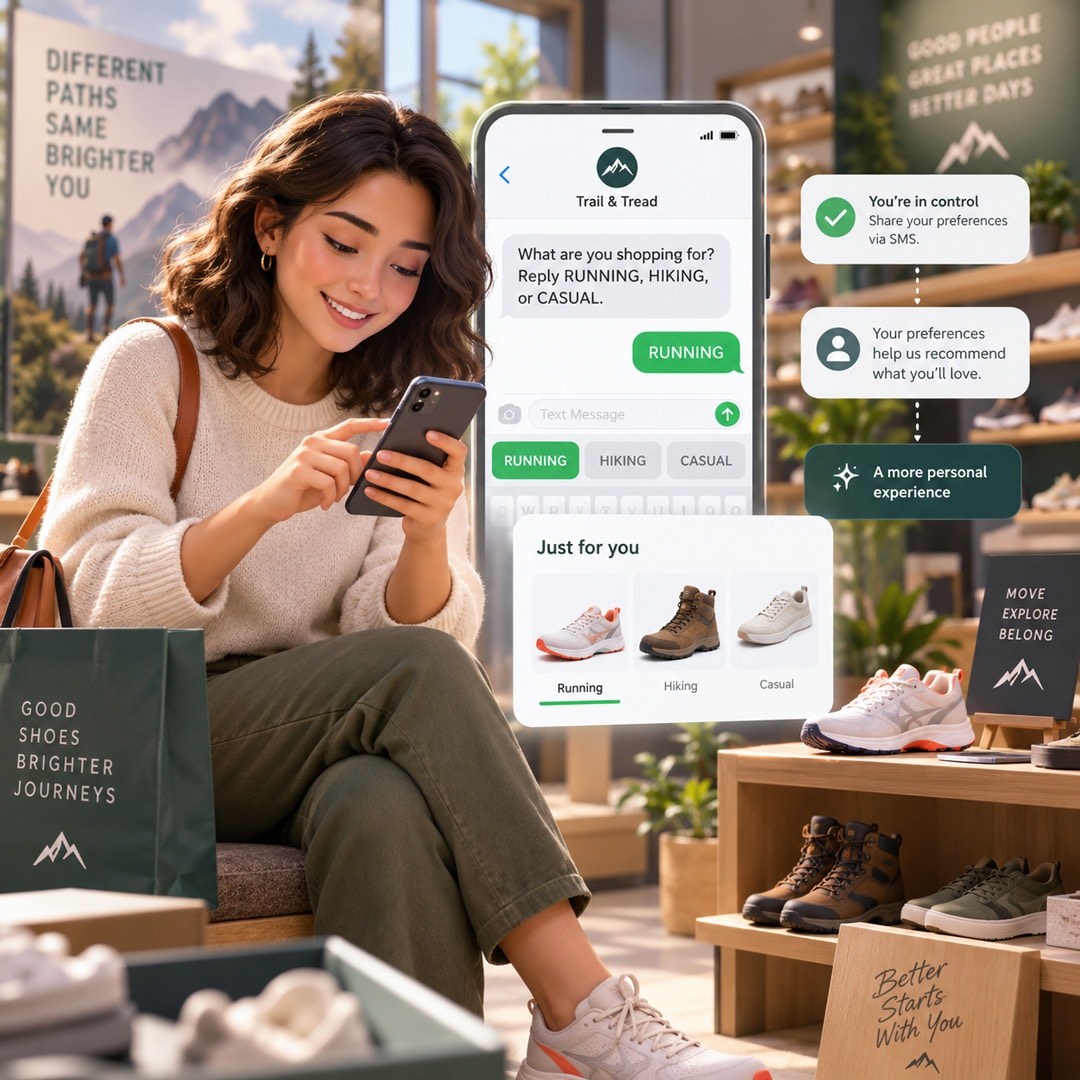
Customer-provided preferences create a strong foundation for respectful personalization. During sign-up, businesses can ask which products, locations, services, or message types a subscriber wants to hear about.
For example, a customer might choose:
- New product announcements
- Discounts and limited offers
- Local event updates
- Appointment reminders
- Educational tips
- Back-in-stock alerts
As a result, the business can personalize content without making assumptions.
However, sign-up forms should remain simple. Asking too many questions before a person joins may reduce registrations. Therefore, collect one or two valuable preferences first and gather additional information gradually.
A preference center can also let subscribers change their interests or reduce message frequency. Consequently, customers gain more control, while businesses preserve healthier SMS lists.
Write Like a Person, Not a Workflow
Personalized data cannot rescue robotic writing. Phrases such as “Valued customer,” “Based on your recent consumer activity,” or “This automated communication is to inform you” create distance.
Instead, use direct and conversational language:
Robotic: “Your previously viewed merchandise has experienced a price reduction.”
Natural: “Good news—the item you viewed is now 20% off.”
Robotic: “This is a reminder regarding your upcoming scheduled appointment.”
Natural: “Reminder: Your appointment is tomorrow at 10 a.m.”
Additionally, avoid overusing emojis, exclamation points, slang, or manufactured excitement. A brand can sound friendly without pretending to be the customer’s close friend.
Match the Tone to the Situation
The right tone depends on the message. A flash-sale alert can feel energetic, while a payment failure notification should remain calm and helpful.
For example:
- Promotional: “Your early access starts now. Shop the new collection before the public launch: [link]”
- Transactional: “We could not process your subscription payment. Update your details here to avoid an interruption: [link]”
- Customer support: “Thanks for contacting us. A support specialist is reviewing your request and will reply soon.”
Therefore, businesses should not apply one “friendly” template to every situation. Context matters more than consistency in punctuation or enthusiasm.
Avoid Overpersonalization
More data does not always create a better message. Certain details may feel too sensitive, specific, or unexpected for SMS.
Businesses should generally avoid mentioning:
- Exact browsing times or repeated page visits
- Sensitive health or financial details
- Information gathered from unrelated third parties
- Personal events the customer did not share for messaging
- Detailed location information
- Predictions about sensitive personal circumstances
Before using any data point, ask whether customers would reasonably expect it to influence their texts. If the answer remains uncertain, leave it out.
Combine Automation With Human Options
Automation improves speed and consistency. Nevertheless, customers should have access to a real person when the conversation becomes complex.
For example, an automated appointment reminder can offer simple reply options. However, if a customer asks a detailed question, the conversation should move to a staff member or capable support agent.
Additionally, automated systems should recognize common responses rather than forcing customers to use one exact phrase. Conversational flexibility makes SMS feel more natural and reduces frustration.
Businesses should also avoid pretending an automated message came from a specific employee unless that person can genuinely continue the conversation.
Test Personalization Before Launching
Personalization errors can create embarrassing messages at scale. Therefore, teams should test every automation with complete, incomplete, and incorrect customer profiles.
Before launching, check:
- What happens when the first name is missing?
- Can outdated purchase data trigger the wrong offer?
- Could two automations send similar messages together?
- Does the link lead to the correct product or account?
- Does the message explain why the customer received it?
- Can the recipient reply or opt out easily?
Fallback text can prevent obvious errors. For instance, when a valid first name is unavailable, start with “Hi there” or remove the greeting entirely.
Respect Consent and Customer Control
Personalization does not replace permission. Businesses still need the appropriate consent before sending automated marketing texts. Moreover, they must maintain accurate consent records and honor opt-out requests. FCC rules protect a consumer’s ability to revoke consent for automated calls and texts, while messaging platforms support consent status management across customer communication channels.
Additionally, messages should identify the sender clearly and provide a straightforward way to stop future texts. Standard opt-out terms can include STOP, END, CANCEL, UNSUBSCRIBE, REVOKE, or OPTOUT, depending on the messaging system and applicable requirements.
Ultimately, great SMS personalization feels almost invisible. Customers notice that the message is useful, timely, and easy to act on, but they do not feel watched.
By using customer-provided preferences, relevant behaviors, natural language, and sensible data limits, businesses can create texts that feel personal without becoming creepy. Moreover, when brands combine automation with transparency and human support, SMS can become a trusted part of the customer experience.